 By
kingsly jebaraj
By
kingsly jebaraj Hiring the wrong developer can quietly drain your budget, delay your launch, and leave you with a website that underperforms. Many businesses rush the decision to hire WordPress developers without understanding what to look for—only to end up fixing mistakes later.
To find WordPress developers who suit your case best in any available project you want them to do, this guide helps you. It is very important to choose the right WordPress developers if you are creating a new website, redesigning an existing website or working towards better performance.
By the time you finish this guide, you will know:
- What WordPress developers actually do
- When you should hire WordPress developers
- The cost of hiring
- Skills to look for
- A proven hiring process
- Common mistakes to avoid
What Do WordPress Developers Do?
You need to know what a WordPress developer does before hiring. In fact, WordPress developers do much more than just install themes.
Website Development
This involves building custom WordPress websites from the ground up or using a framework, ensuring they function as intended, are responsive, and can be scaled.
Theme Customisation
They customise WordPress themes to align with your brand’s design standards, enhance user experience, and improve aesthetics.
Plugin Development
They are creating or altering plugins to implement custom features that standard plugins cannot provide.
Speed Optimisation
Building a high-performing WordPress site means focusing on WordPress Performance & Speed Optimization Services. Pages that load quickly are not only crucial for SEO but also help retain visitors, encouraging them to stay longer. This enhances the overall user experience, making it a hallmark of a skilled WordPress developer.
Security Setup
They add firewalls, backups, and malware protection to protect your website.
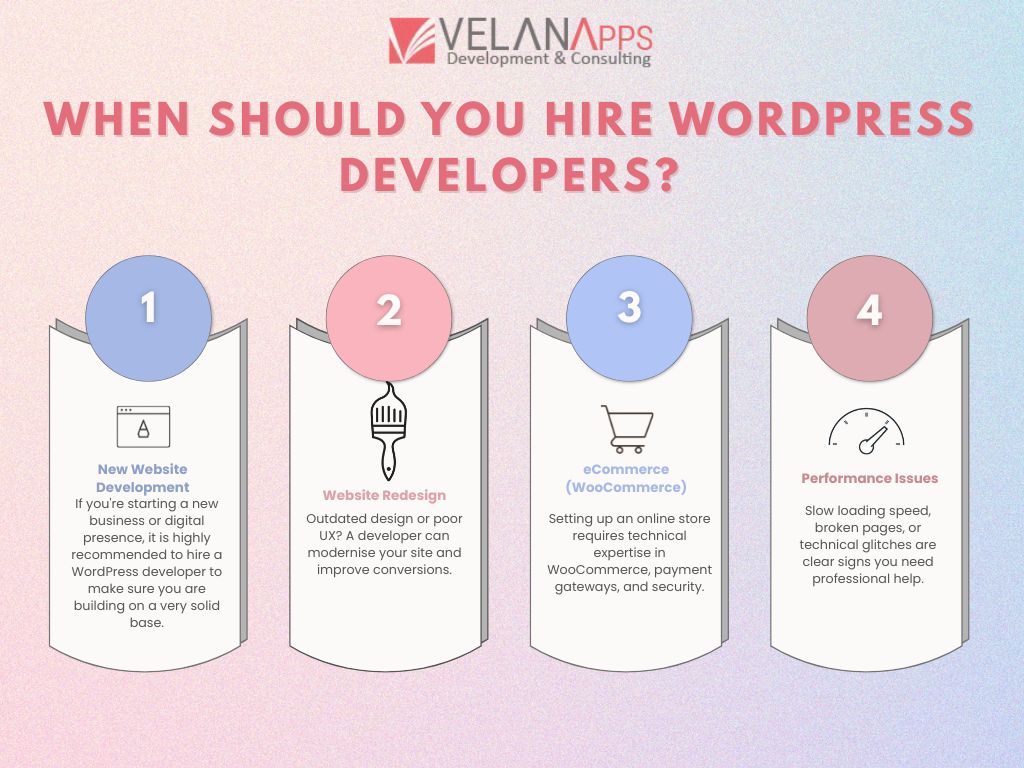
When Should You Hire WordPress Developers?
Figuring out when to hire WordPress developers might help you save time and money.
New Website Development
If you’re starting a new business or digital presence, it is highly recommended to hire a WordPress developer to make sure you are building on a very solid base
Website Redesign
Outdated design or poor UX? Hire a WordPress developer to modernize your site for conversions.
eCommerce (WooCommerce)
Setting up an online store requires technical expertise in WooCommerce, payment gateways, and security.
You need to have a competent team on board that can help you set up an online store efficiently using WooCommerce, payment gateways, and security.
Performance Issues
Slow loading speed, broken pages, or technical glitches are clear signs you need professional help.
If your website takes 200 secs to load, exhibits broken pages, or experiences technical difficulties, post the crying emoji because you need some professional assistance.
Why Businesses Should Hire a WordPress Developer 2026
Types of WordPress Developers
If you are considering hiring WordPress developers, you will find several hiring models available.
| Type | Best For | Cost | Flexibility |
| Freelancer | Small projects | Low | High |
| Agency | Large projects | High | Medium |
| In-house | Ongoing work | Very High | Low |
1. Freelance WordPress Developers
These are great for low-budget projects or short-term projects. Freelance WordPress developers have availability and charge relatively low fees.
2. WordPress Development Agency
A WordPress development agency offers a team of professionals and is ideal for more sophisticated or larger projects.
3. In-house Developers
Ideal for organisations that require ongoing development and support.
Cost to Hire WordPress Developers
The idea of WordPress developer cost helps you to plan your budget in a better way.
1. Hourly Rates
- Entry level: $10, $25/hour
- Intermediate: $25, $60/hour
- Advanced: $60, $100+/hour
2. Project-Based Pricing
- Simple website: $500, $1,500
- Corporate website: $1,500, $5,000
- Specialized or eCommerce: $5,000, $10,000+
3. India vs. US Comparison
India: $10–$40/hour (cost-effective, skilled talent)
US/UK: $50–$150/hour (more expensive, usually premium services). So, if you want to hire WordPress developers at hourly rate options in a cost-effective manner, then outsourcing from India will be an intelligent choice.
WordPress Developer Skills You Should Look For
Knowledge of WordPress developer skills to use as a guide when interviewing candidates.
Technical skills:
- PHP, HTML, CSS
- JavaScript
- MySQL
WordPress-Specific Skills
- Theme & plugin customisation
- WooCommerce development
- CMS configuration
Bonus skills:
- SEO basics
- Speed optimisation
- UX/UI understanding
An end-to-end or full-stack developer means your site will be not only usable but also well-optimised for search engine and performance aspects.
How to Hire WordPress Developers: Step-by-Step Process
Define Requirements
Define your project’s scope, the features, budget and timeline.
Search Candidates
Look to freelance sites, agencies and referrals to find work.
Review Portfolio
Assess quality, different styles and appropriateness by checking sample works.
Test Task
Basically, it is a paid task with a very small scope that allows evaluating a candidate’s performance in real practice.
Interview
Identify technical skills, communication, and problem-solving skills.
Hire & Onboard
Close contracts, set milestones, and begin onboarding.
Mistakes to Avoid When Hiring
Here are some typical WordPress developer hiring mistakes that you may try to avoid:
Choosing the Most Cost-Effective Option
Opting for the least expensive choice often leads to lower quality and higher long-term costs.
No Contract
Write down the scope, timeline, and payment terms.
Ignoring Communication
But poor communication is time-consuming and leads to misunderstanding and ambiguity in nature.
No Post-Launch Support
Be sure to keep a follow-up with the developer on maintenance and support post-launch.
Conclusion
The right development drawback is the first and foremost decision to get your auspicious website on the path. By hiring WordPress developers with the right skill set and experience and the right mindset when it comes to good communication, you are effectively preparing your project for growth in the long run.
Take the time to assess your needs, shop around and stick to a set process for hiring. This ensures that you do not only hire WordPress developers—you hire the right one.
WordPress Developers FAQs
What steps will you take to make sure my WordPress site is speedy and well-optimized?
They better use efficiency with options like the use of slim themes, clean code, and optimised pictures, among others. Caching, CDN integration, and database optimisation are also extensively utilised. Continuous performance monitoring and improvement tools like Google Page Speed Insights are also used as speed testing tools.
Instead of working off static templates, can you build a fully custom theme?
Yes, these will be custom templates built by an experienced WordPress developer and built specifically for your brand’s needs. On your functionality and user experience. Pre-built templates can look good, but custom themes are faster, more flexible, and embedded with details that will surely make your website unique.
What security measures do you undertake to avoid hacks?
Developers apply robust security systems like SSL certificates, secure logins, firewall configurations, malware sifting, and theme/plugins updates. These also encourage the use of trusted security plugins, as well as limiting the number of login attempts.
Is my website technical SEO friendly?
Yes, a good developer will make sure that your site is in line with technical SEO best practices. Content within pages that is helpful for search engines to crawl and index your pages, such as clean URL structures, loading speed, mobile-friendliness, schema markup, XML sitemaps, and proper HTML tagging.
What happens if you have a not-so-good day and cannot perform the website backup process again?
Routine automated backups are provided using reliable instruments and kept protected (cloud or outside servers). If something crashes or gets hacked, then developers can roll the website back to a working version, which reduces the downtime.
Will my website be responsive and mobile-friendly across devices?
Yes, if you opt for reactive design techniques, your site will be able to automatically adjust to the screen size of any device, ranging from the tiniest mobiles and tablets to different types of desktop displays.
How do you keep up with WordPress’s future updates?
Developers stick to coding standards and use themes and plugins which are maintained. Generally, they carry out updates in a staging environment first before production, which helps them check compatibility and confirm that no unexpected things happen on a live site.